P25 Networks,
Simplified
Scalability & Flexibility
Smart
Alerts
Seamless Integration
P25‑Specific Monitoring
On‑Premise Deployment
Closed Network
File
Storage
Live
Terminals
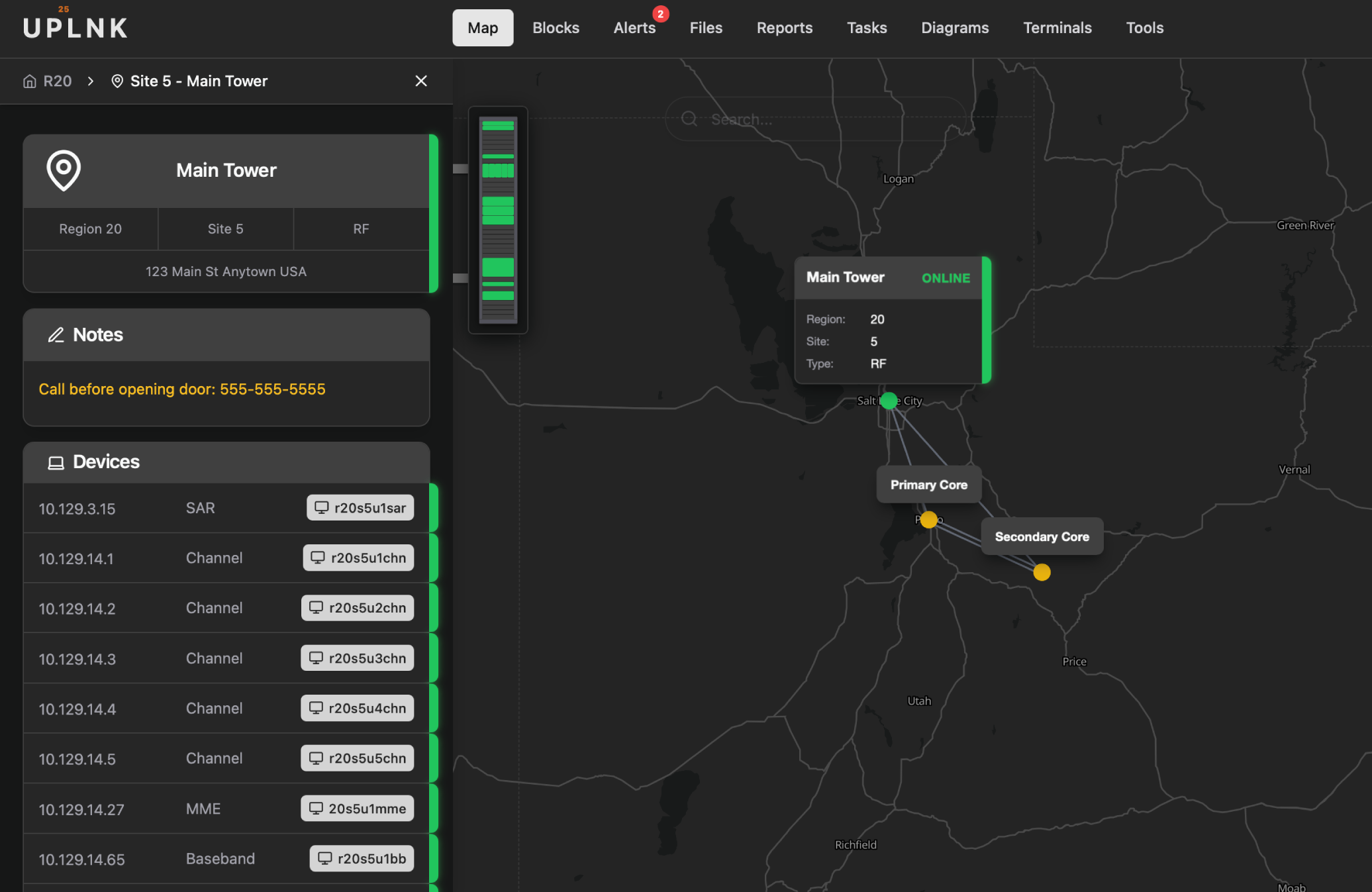
At-a-Glance Device Status
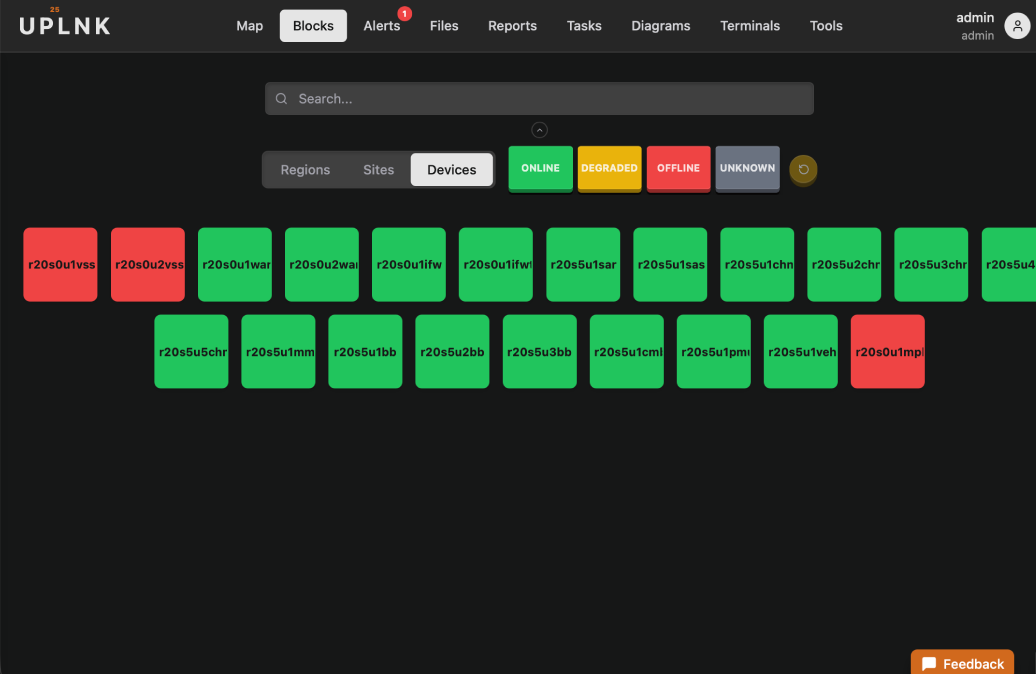
Two ways to read your network in a single look. The Blocks view turns your entire device fleet into a color-coded grid—green means online, red means down—while the Map view pins every site to its real-world location, so you can see exactly where an outage is happening. Spot problem devices instantly without digging through menus or log files.
Intelligent Alert Management
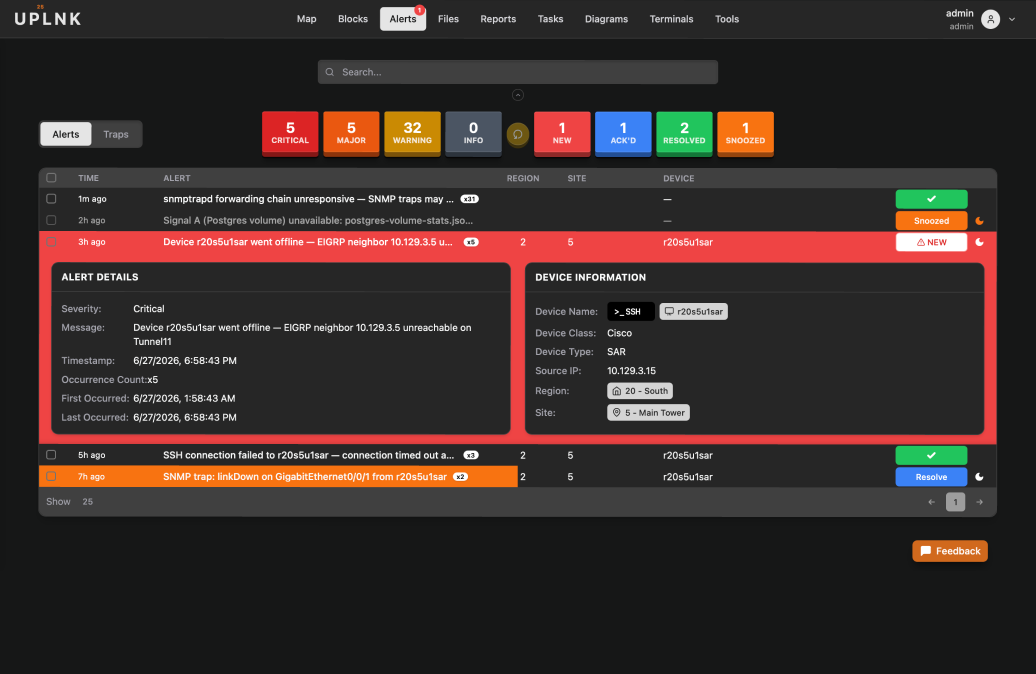
Color-coded severity levels give your team an instant read on network health the moment they open the screen. Each alert includes quick-navigation buttons to jump directly to the affected region, site, or device—and when something needs hands-on attention, connect to the device right from the alert without ever leaving the platform.
In-Browser Terminal Access
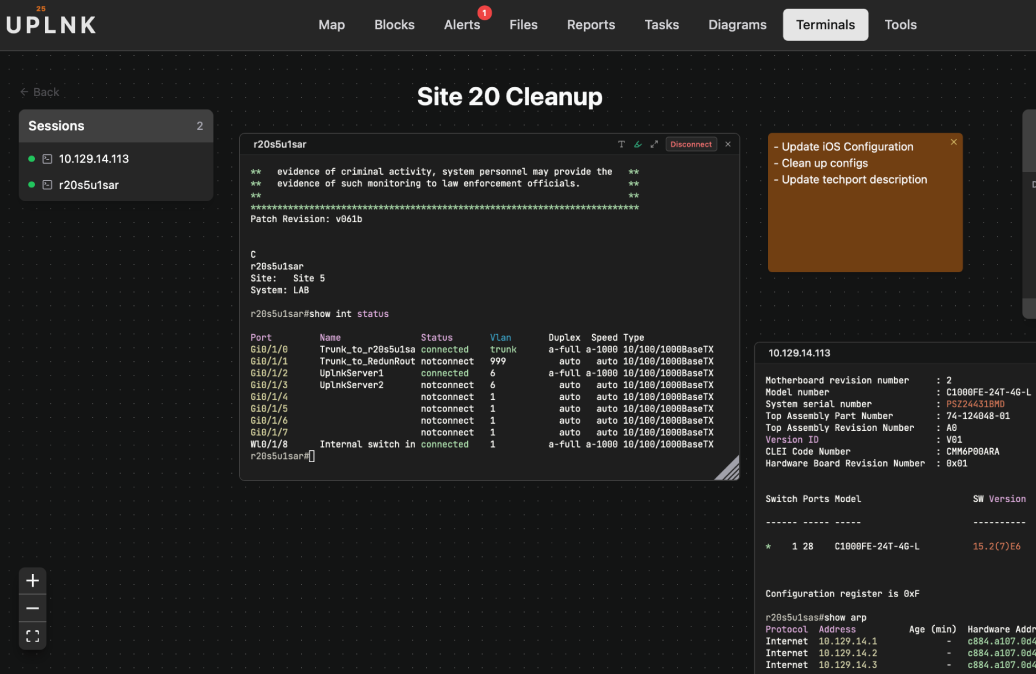
Open SSH or Telnet sessions to any device right in your browser—no client to install. Sessions run on the appliance, not your laptop, so they survive a closed lid, and your whole team can watch and work in the same live session together. Arrange collaborative terminals, notes, and labels on a shared canvas, and jump straight from an alert into a session on the device that needs attention.
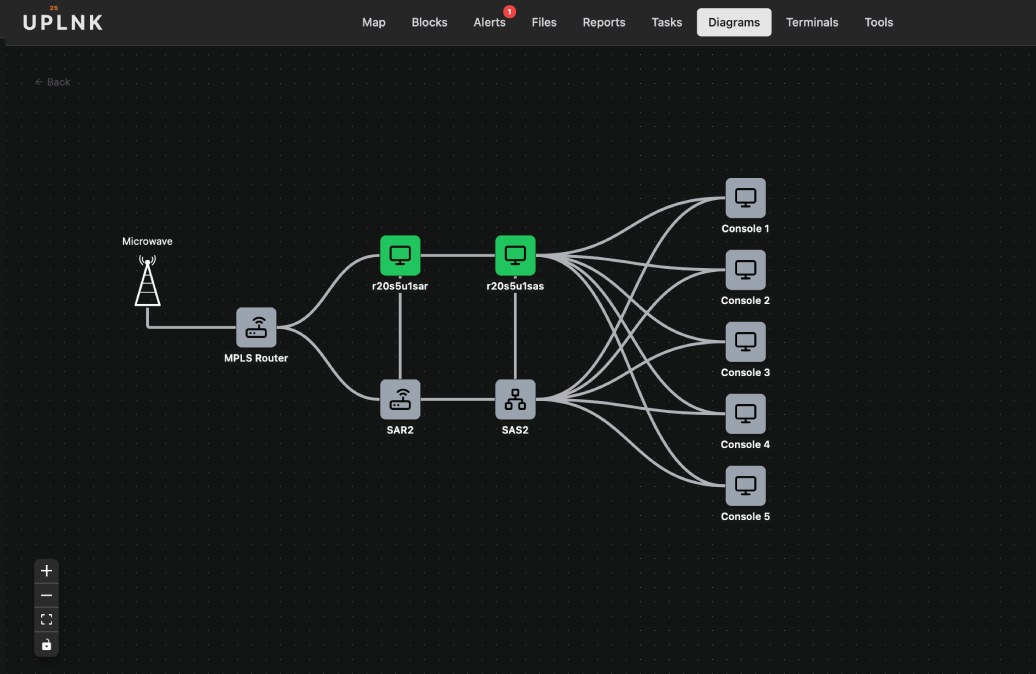
Interactive Collaborative Diagrams
Centralize your network documentation in diagrams that go beyond static maps. Build custom topologies together in real time with a simple drag-and-drop editor—your team edits the same diagram side by side—link any element directly to its region, site, or device for instant navigation, and monitor live device status right on the diagram, so your documentation and your network are always in sync.
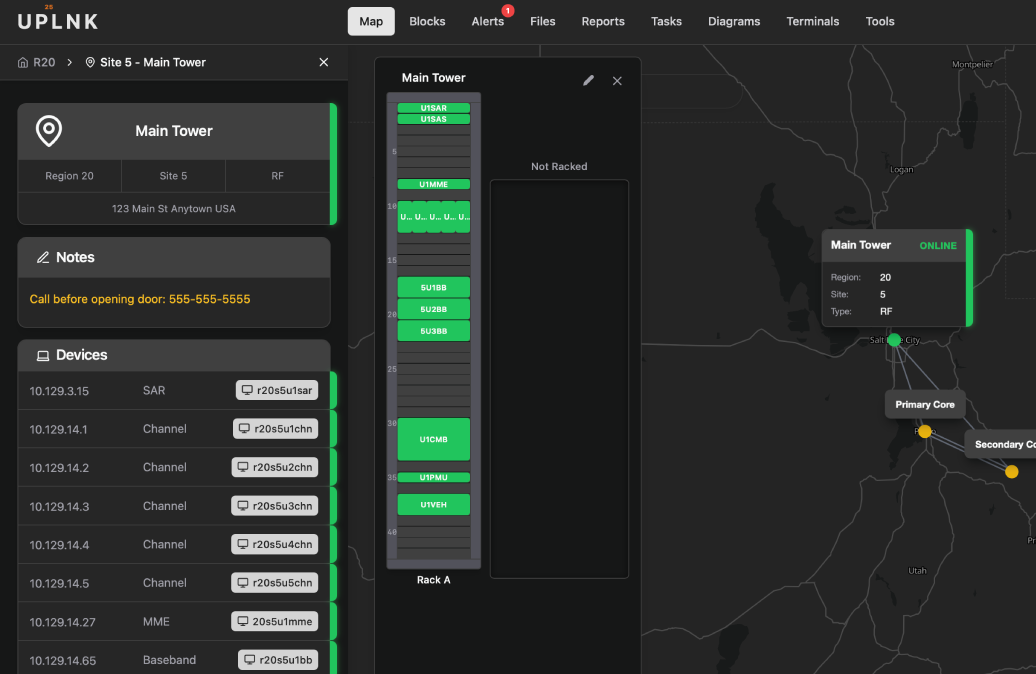
See Every Device in Its Rack
Open any site's racks straight from the drawer and see your equipment exactly as it sits in the field—each device in its own rack unit, color-coded by live status. Drag devices into place, lay out new racks from per-site-type templates, and click any unit to jump straight to that device. The physical layout of your network and its real-time health, in one view.
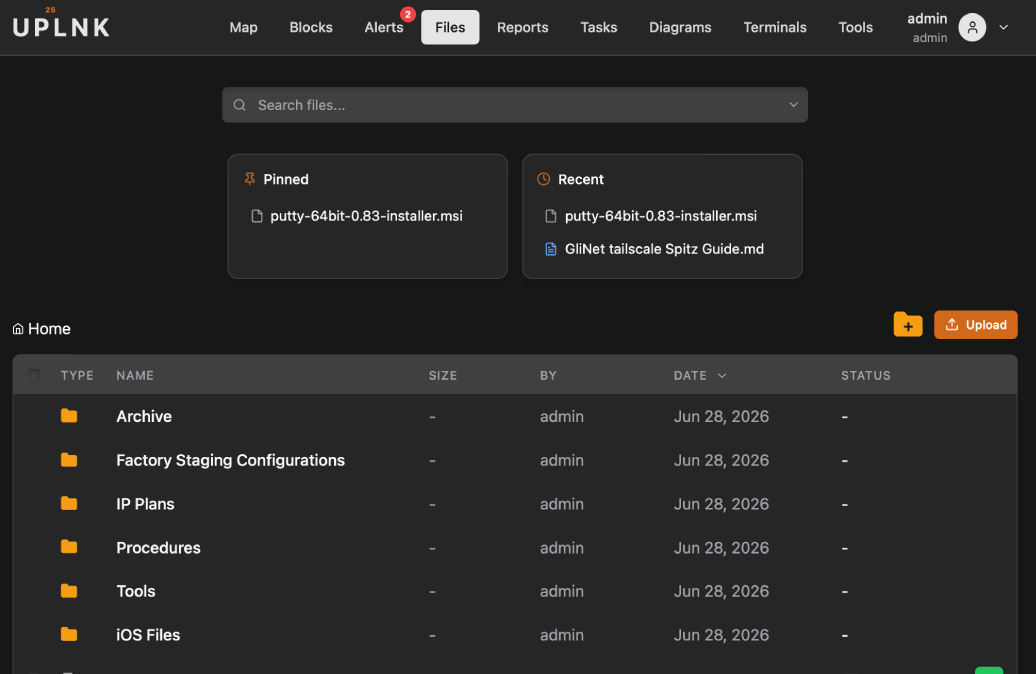
Centralized File Storage
UPLNK's file system spans your entire application—store, replicate, and distribute files across your network from one place. Share files directly via TFTP or SCP, making it easy to act as a host server when pushing firmware to devices, staging configurations, or handling any file distribution your network demands.
Common Questions
UPLNK is P25 network management and monitoring software, designed from the ground up for radio communication infrastructure. We provide specialized monitoring tools and user-friendly interfaces that make P25 network management accessible to technical and non-technical users alike.
We're built specifically for P25 networks, not generic IT infrastructure. Our interfaces make sense to radio technicians, not just network engineers. Every feature is designed with P25-specific workflows in mind.
Yes. We support standard SNMP and NETCONF protocols that work with L3Harris and other P25 manufacturers. No proprietary agents or complex integrations required.
Absolutely. We designed simple, mobile-friendly interfaces specifically for field verification and dispatch operations. If you can use a smartphone, you can use UPLNK.
UPLNK is designed for on-premise deployment in secure P25 networks. No cloud dependencies, no internet requirements, and no holes in your firewall policy. Your data stays on your network.
Ready to Simplify Your P25 Network?
Join our beta program and help shape the future of P25 monitoring.